Gear lending for schools
Lend it.
Get it back.
Cameras, tablets, mics and kits for every class. Students sign in with a class code, borrow with a scan and get a reminder before it’s due. Teachers see who has what.
How lending works
Four steps.
Then they borrow.
No IT project. No student accounts to set up by hand. Just your gear, a label printer and one lesson to get going.
01
Tag it.
Print a label for every camera, tablet and kit from the teacher’s phone. One tap, one code.
02
Hand out codes.
Students sign in with a class code and their own student code. No email needed. Print the sign-in slips from your phone.
03
Lend it.
Students borrow with a scan, and a whole kit goes out as one. Teachers see who has what.
04
Get it back.
A reminder before it’s due and another when it’s late. Scan the shelf to put it back where it lives.
Borrow and return
Scan it out.
Scan it back.
Students borrow with the phone camera, at a counter scanner or on a teacher’s phone. Every loan has a name, a due date and a shelf to come back to.
Camera scanning
Point the phone at any code. No extra hardware needed.
Counter scanners
A pocket scanner at the gear cupboard makes lending a two-second job.
Shelves and places
Every item has a home shelf. Scan the shelf’s code to return it there.
Who has what
Every loan carries a student’s name, a class and a due date.
Live on every screen
Lend on a phone and see it on the teacher’s laptop at once.
Works offline
No signal in the basement? Keep lending. It syncs when you are back.
Classes and sign-in
One code per class.
No student email.
Add a class and every student gets a code. They sign in with the class code and their own student code, on any phone. Print the sign-in slips with QR codes straight from your phone.
Kits
Lend the kit.
Get every part back.
A kit is a set you lend together: a camera, its battery, a card and a bag. One scan lends the whole kit, and you see each part come back.
Reservations and reminders
Reserve it ahead. Get it back on time.
Reserve cameras and kits for a lesson, a week or a project. Before a loan is due, the student gets a reminder. When it is late, the student and the teacher both hear about it.
Labels and places
Label the gear.
Label the shelf.
Teachers print labels for cameras, tablets and kits from their phone, and a label for every shelf and cupboard. Scan the shelf to put things back where they live.
Templates you design
Name, code, logo and picture, laid out your way. What you see is what prints.
Your logo on every label
Add your own mark to each template.
Standard codes
QR, Data Matrix and barcodes that any scanner can read.
UHF RFID tags
Read without line of sight, even with the lid closed.
Tags you already have
Link existing codes and tags to items with one scan.
Shelves and places
Label where things live, not just what they are.
Hardware
Pro hardware.
Without the pro price.
Printers, tags, readers and displays that hold a pro standard at a price schools can afford.

Label printers
Print anywhere.
Pocket printers that pair over Bluetooth. Your templates, your logo, your labels.
Bluetooth
QR and barcode
Templates
RFID readers
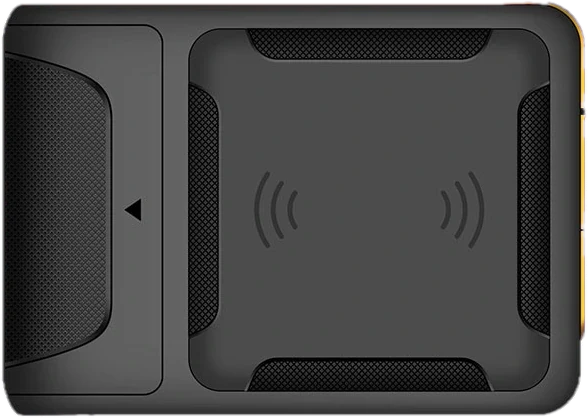
Check a case without opening it.
Handheld UHF readers pair with your phone and read every tag in range. No line of sight needed.
UHF RFID
Bluetooth
Case check

Tags
A tag for everything.
QR, barcode, Data Matrix and UHF RFID. Tough, cheap and linked in one scan.
QR
Data Matrix
UHF

Scanners
Scan without your phone.
Pocket Bluetooth scanners for the gear cupboard and the classroom.
Bluetooth
1D and 2D
E-ink displays
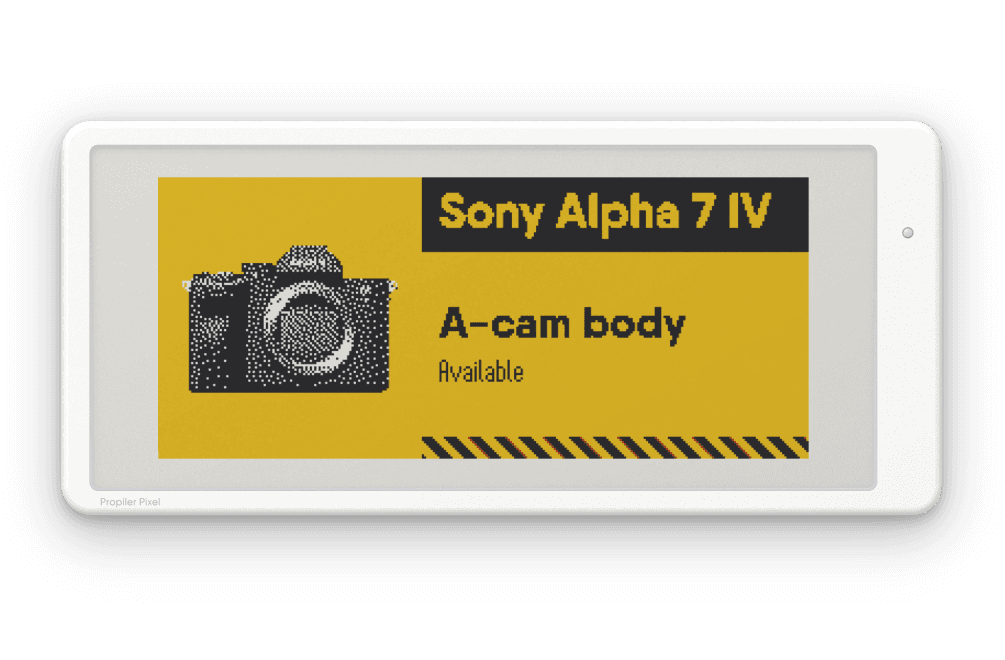
Labels that update themselves.
E-paper displays on cases and shelves show what is inside and how much of it is packed.
E-paper
Pack state
Pictures
For admins
Every department.
One school.
Give each department or school its own workspace. The organisation owns them all, not the person who set them up. View as shows you what a teacher or a student sees.
Workspaces
One for each department or school, with its own gear and people.
Owned by the school
The organisation owns every workspace, not the person who made it.
View as
An admin can see the app the way a teacher or a student sees it.
Move gear
Move gear between workspaces in the same school.
Teachers print labels, lend gear and see who has what.
Student privacy
Students need no email. You decide what is stored, and an admin can erase a student’s data.
Get early access.
Propiler opens to schools in waves. Leave your email and we’ll send your invite.